Technical Deep Dive for Total Immersion: Integrating THX Spatial Audio+ & WYVRN SDK into "Valley of the Ancient"
Adrian Tamas · · Spatial Audio
This deep dive shows how THX Spatial Audio+ turns Valley of the Ancient into a truly three-dimensional soundscape, with real-time reflections, height, and room acoustics instead of simple left-right panning. It breaks down how next-gen audio in Unreal Engine can feel physical, reactive, and cinematic—making sound as immersive as the visuals.
Introduction: Setting the Stage in the Valley
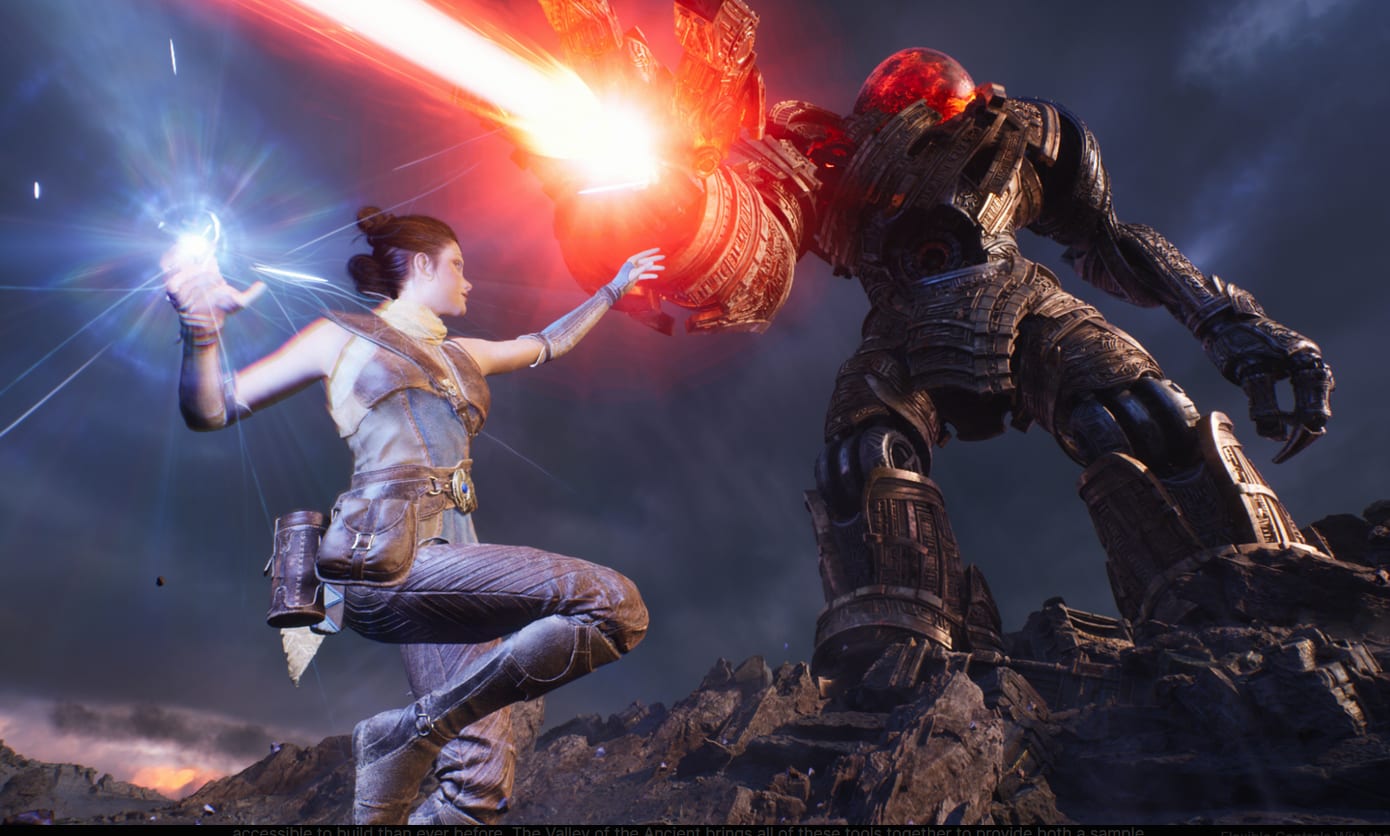
The Valley of the Ancient is not just a sample project; it is a manifesto for the future of interactive graphics. Developed by Epic Games to showcase early access features of Unreal Engine 5, it introduced the world to Nanite virtualized geometry and Lumen global illumination.
Players control Echo, exploring a photo-realistic arid landscape derived from Quixel Megascans of Moab, Utah. The demo culminates in a transition to a "Dark World"—a fantastical realm where Echo battles the massive Ancient One.
However, while Nanite streams billions of polygons to create visual fidelity, the sensory fidelity often lags behind. To match the visual realism of UE5, we need audio that behaves like real sound waves and physical feedback that matches the weight of the world.
In this deep dive, we detail the complete integration of two transformative technologies:
- 1. THX Spatial Audio+: A Wwise plugin that adds physically modeled early reflections and late reverberation.
THX Spatial Audio+ Docs:
- https://doc.wyvrn.com/docs/thx/wwise/thx-spatial-audio-plus/
- 2. WYVRN SDK: A unified pipeline for Razer Chroma (lighting) and Sensa HD Haptics (tactile feedback).
WYVRN SDK (Unreal) Docs:
- https://doc.wyvrn.com/docs/wyvrn-sdk/
- https://doc.wyvrn.com/docs/wyvrn-sdk/unreal-engine/
This guide serves as a real-world case study, analyzing the specific Blueprints, Configs, and Wwise structures used to bring Echo’s journey to life.
Part 1: The Audio Architecture | THX Spatial Audio+
The Challenge of 3D Audio
Step 1: Installation & Middleware Setup
Before we even open Unreal Engine, we must configure the audio middleware. The integration relies on the Audiokinetic Launcher to inject the plugin into the Wwise SDK.
The THX Spatial Audio+ can be downloaded from this link.
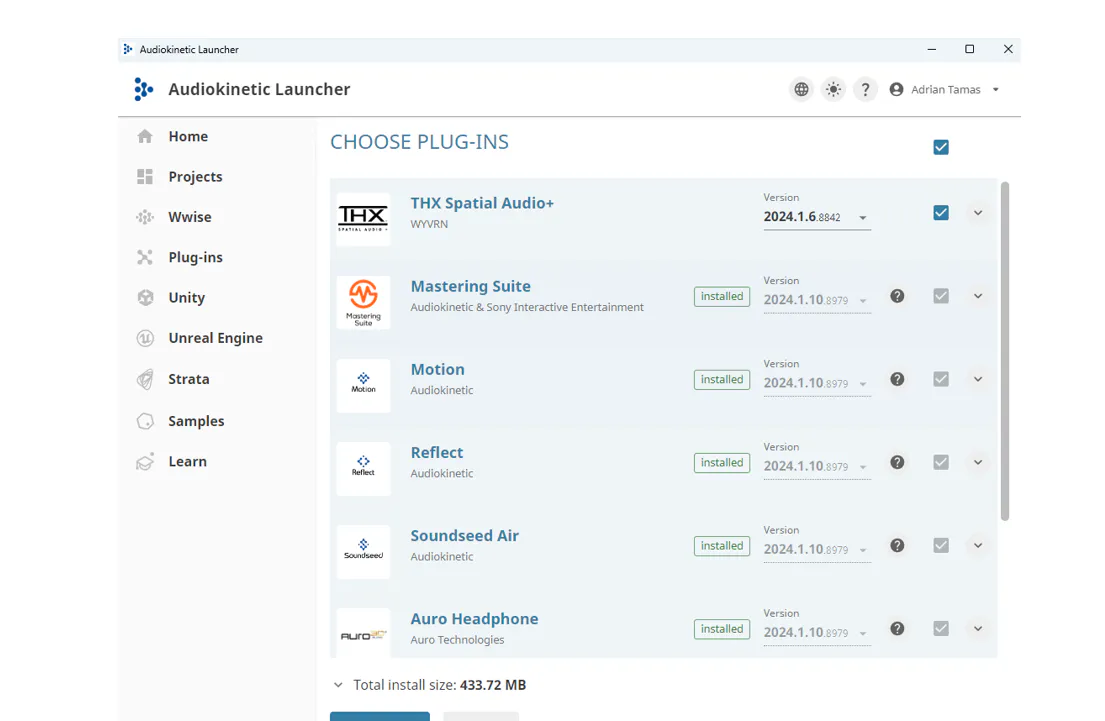
The Installation Process: As shown in the launcher interface, select the specific Wwise version (2024.1.6) and ensure the THX Spatial Audio+ plugin is checked and installed via "Add from directory".
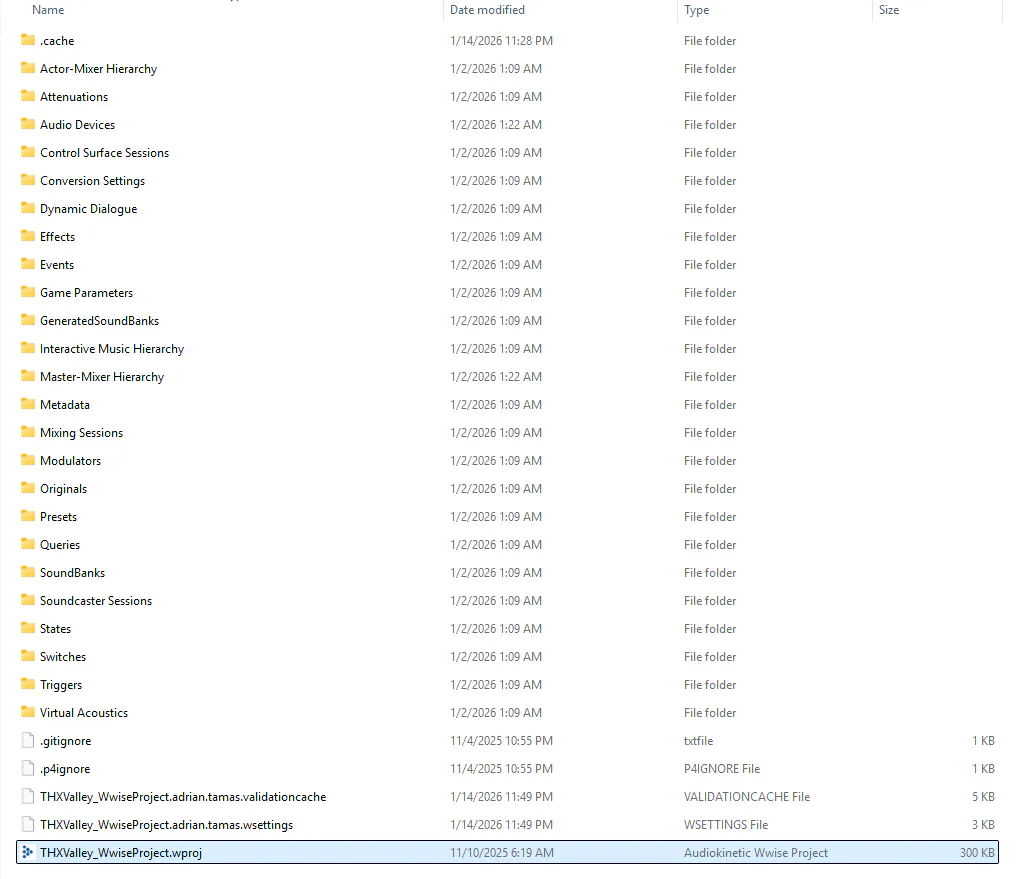
Step 2: The Wwise Project Backend
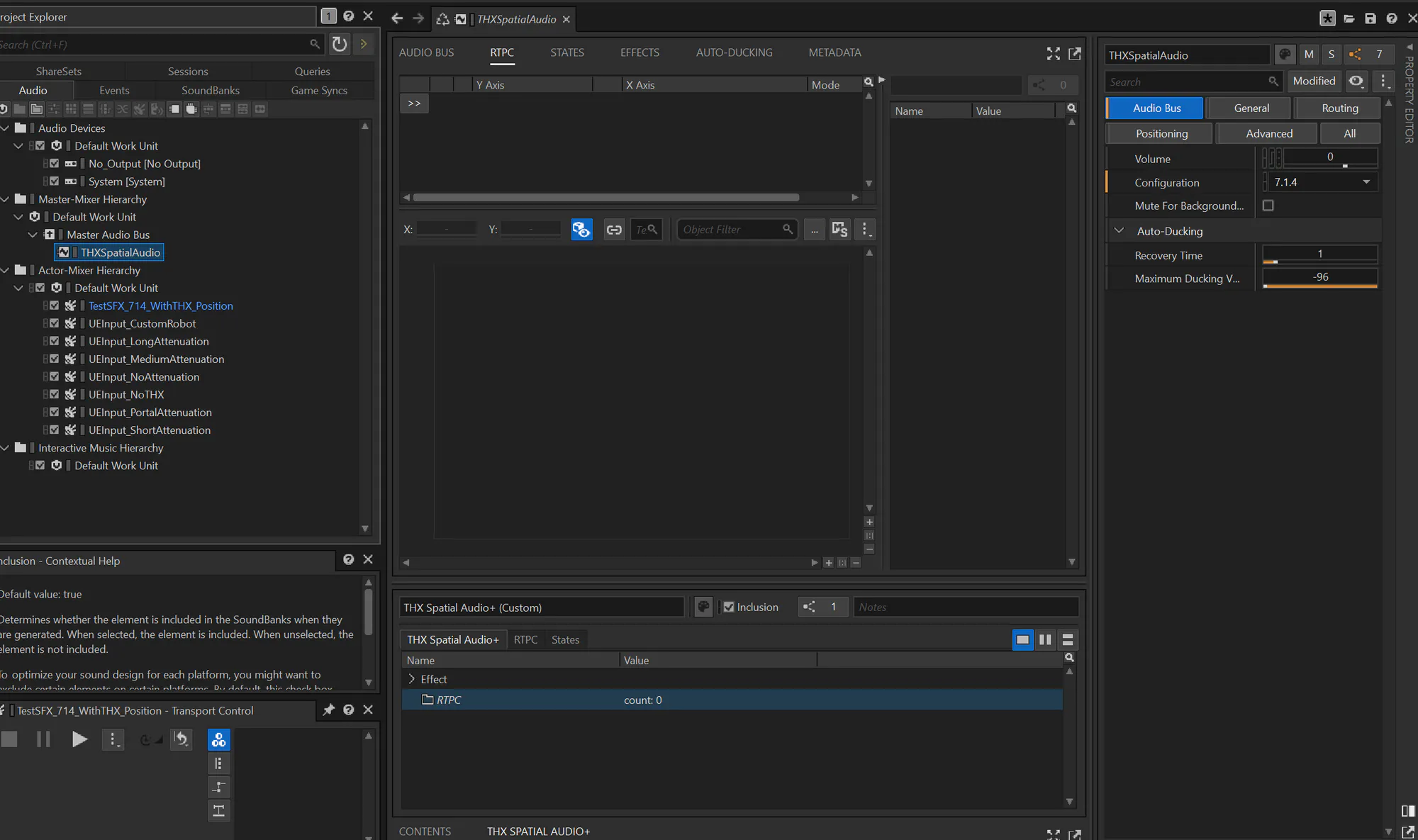
Bus Configuration (The Critical Step): Inside the Wwise Authoring tool, navigate to the Master-Mixer Hierarchy. We add there an auxiliary audio bus onto the main audio bus to handle spatial processing.
- The Plugin: We insert the THXSpatialAudio effect into the bus chain.
- Channel Config: This Aux Bus is set to 7.1.4, which forces the Master Audio Bus to also be 7.1.4. THX requires these extra height channels (the ".4") to calculate verticality—allowing you to hear the Ancient One towering above you.
Object Positioning: to ensure individual sound effects (SFX) are processed correctly:
- Routing: SFX need to be routed through the bus with the plugin under the “Routing” tab.
- Positioning: They also require Listener Relative Routing to be enabled in the “Positioning” tab.
Step 3: The Frontend (Unreal Engine)
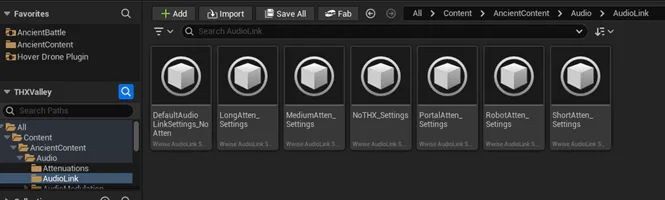
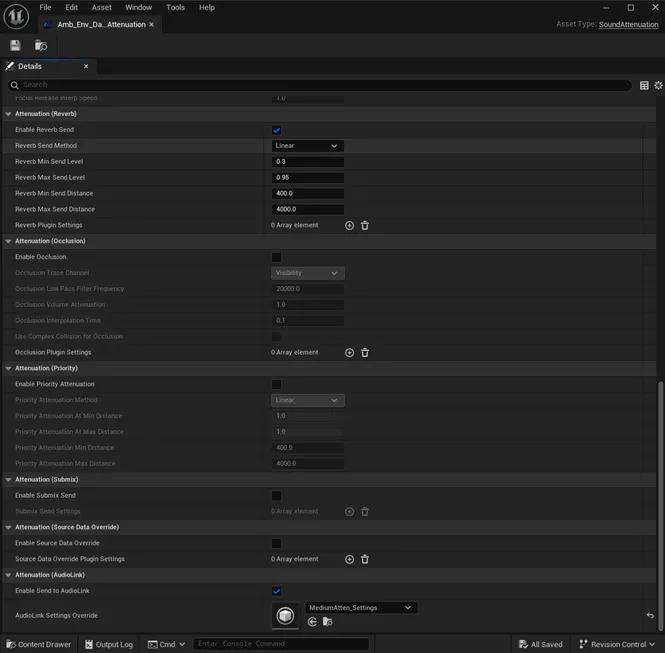
- Data Flow: All audio is sent from Unreal MetaSounds through Unreal AudioLink into the Wwise audio engine.
- Processing: Wwise takes the audio and positioning data from AudioLink and sends it through THX Spatial Audio+.
- Output: That output is then sent to the hardware output.
Part 2: The Sensory Ecosystem | WYVRN SDK
While THX handles the ears, the WYVRN SDK handles the eyes and hands. This SDK is unique because it unifies Razer Chroma (lighting) and Razer Sensa HD Haptics into a single API. Instead of writing separate code for lights and vibrations, we send a single "Event Name," and the external configuration handles the rest.
Initialization: The Level Blueprint
The integration starts in the Level Blueprint. This is the brain of the map and the perfect place to initialize hardware SDKs.
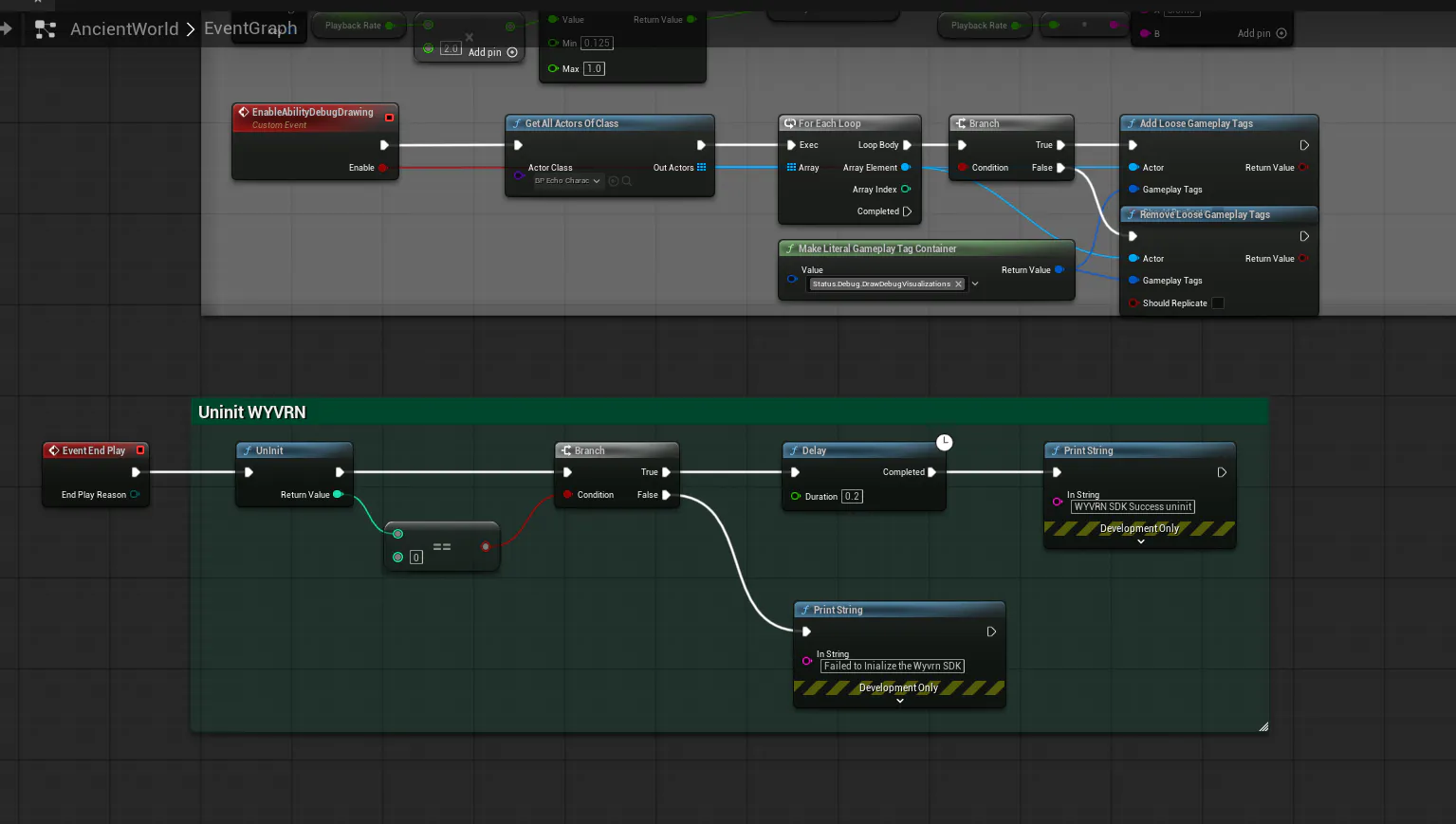
The Initialization Flow:
- Event BeginPlay: As soon as the level loads, this event fires.
- Make Wyvrn SDKApp Info Type: We populate the struct with our game's metadata (Title: ValleyOfAncient, Author: Razer).
- InitSDK: This node handshakes with the Razer Synapse service.
- Error Handling: We use a Branch node to check the return value. If it returns 0 (Success), we proceed. This prevents performance hitches on unsupported systems.
Deep Dive into Configuration (WYVRN.config)
The heart of the sensory experience is the config file. Let’s break down the specific strategies we used for Valley of the Ancient.
Strategy A: Ambient Immersion (Lighting)
We used the Start event to set the baseline mood.
{
  "External_Command_ID": "Start",
  "Chroma_Events": [
    { "Chroma_Effect": "Idle_Keyboard", "Idle": "set" },
    { "Chroma_Effect": "Idle_Mouse", "Idle": "set" }
  ]
}
By setting the Idle property to "set", we ensure that the peripherals default to a specific color scheme whenever no other action is occurring.
Strategy B: Directional Locomotion (Stereo Haptics)
To ground Echo's movement, we implemented "stereo haptics." We want the player to feel the footsteps on the left side of their body when Echo plants her left foot.
In Unreal: We opened Echo's movement animation blueprint and added WYVRN events depending on the speed of the character – walk or jog.
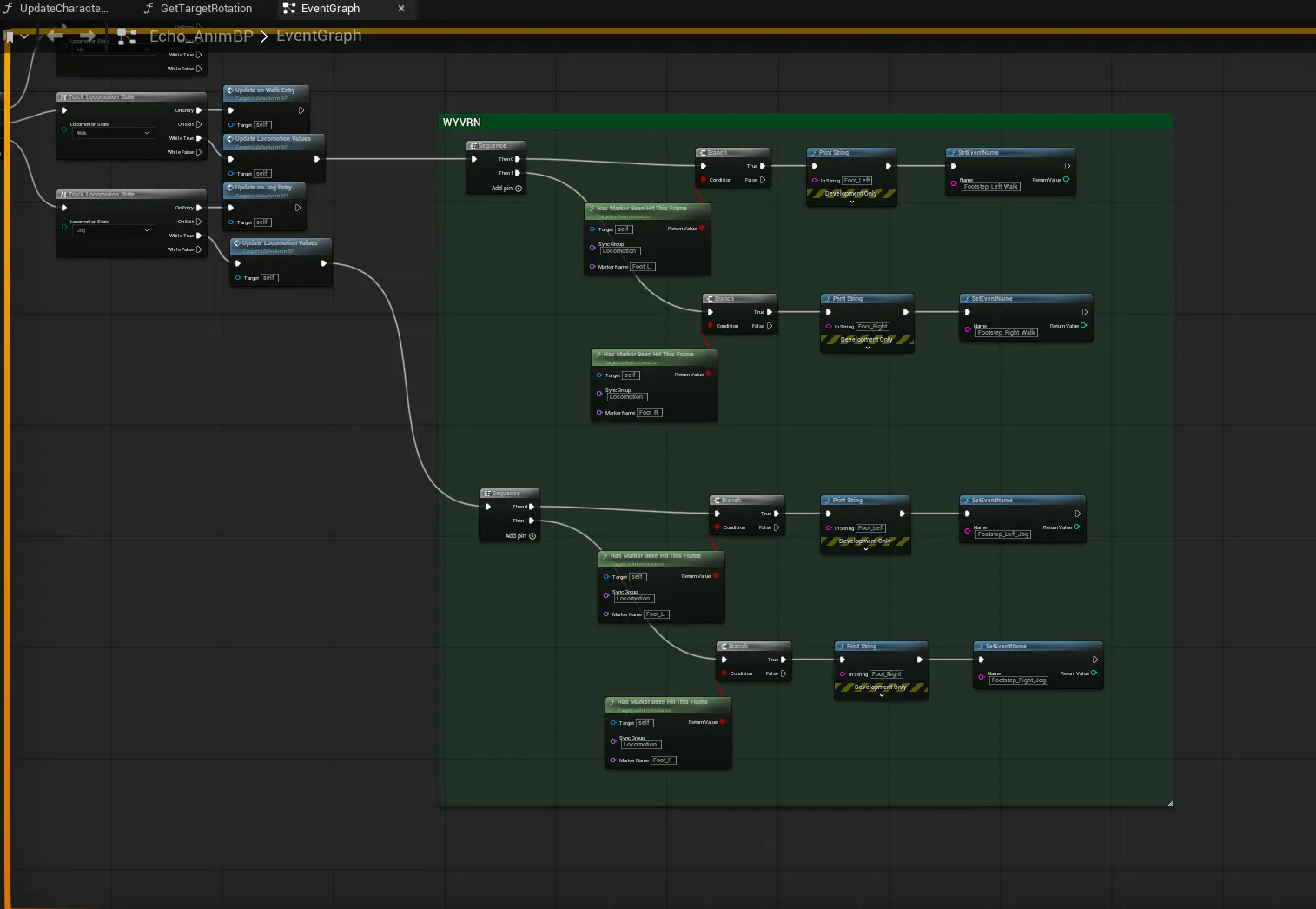
- Left Foot Frame: Calls SetEventName("Footstep_Left_Jog").
- Right Foot Frame: Calls SetEventName("Footstep_Right_Jog").
In Config:
{
  "External_Command_ID": "Footstep_Left_Jog",
  "Haptic_Events": [
    {
      "Haptic_Effect": "FootStep",
      "Targeting": [
        { "Gain": 1, "Spatialization": "Left", "Target": "Leg" }
      ]
    }
  ]
}
Notice the Spatialization: "Left" and Target: "Leg". This creates a precise localized sensation. The player doesn't just feel a generic vibration; they feel the rhythm of the run traveling across their haptic device (like a haptic chair cushion i.e. Razer Freyja).
Strategy C: Modular Abilities (The Drone)
When Echo deploys or recovers the Hover Drone, we trigger the Throw_Drone_Sit/Stand events. The config defines a complex multi-layered effect:
- Head: 0.7 Gain (Subtle whirring near ears – haptic headphones).
- Chest/Leg/Waist: 1.0 Gain (Spatialization down to up).
- Mixing: "Merge".
{
  "External_Command_ID": "Throw_Drone_Sit",
  "Haptic_Events": [
    { "Haptic_Effect": "Throw_Drone_Head", "Mixing": "Merge", "Targeting": [{ "Gain": 0.7, "Target": "Head" }] },
    { "Haptic_Effect": "Throw_Drone_Chest", "Mixing": "Merge", "Targeting": [{ "Gain": 1, "Target": "Chest" }] }
  ]
}
This layering simulates the mechanical object detaching from the character's back and flying upwards.
Strategy D: High-Priority Combat (The Ancient One)
When the Ancient One attacks, subtlety goes out the window. We need to ensure the player feels the danger immediately.
In Unreal: Trigger SetEventName("Boss_Attack").
In Config: We utilize the Priority flag.
{
  "External_Command_ID": "Boss_Attack",
  "Chroma_Events": [
    { "Chroma_Effect": "Boss_Attack_Keyboard", "Animation": "Boss_Attack", "Priority": "VeryHigh" }
  ],
  "Haptic_Events": [
    { "Haptic_Effect": "Boss_Attack", "Mixing": "Merge", "Targeting": [{ "Gain": 1, "Target": "All" }] }
  ]
}
By setting the Priority to VeryHigh, the lighting system will instantly interrupt the ambient orange glow to flash a warning, and the haptics will override walking vibrations with a global rumble (Target: "All").
Part 3: Practical Integration Tips
Packaging with data.bin
A crucial detail for developers is packaging. The THX plugin requires a data.bin file to be present in the final build folder.
In a build, data.bin must be present in the following directory (relative to the executable):
- THXValley/Plugins/WwiseSoundEngine/ThirdParty/x64_vc170/Release/bin
Debugging Haptics
If Chroma/haptics aren't triggering:
- Check the InitSDK return value in the Level Blueprint. It must be 0.
- Verify the "Event Name" string in Unreal matches the config's External_Command_ID.
- 3. A debugger for the WYVRN events can be downloaded here: https://github.com/WyvrnOfficial/RazerSensa_DevKit
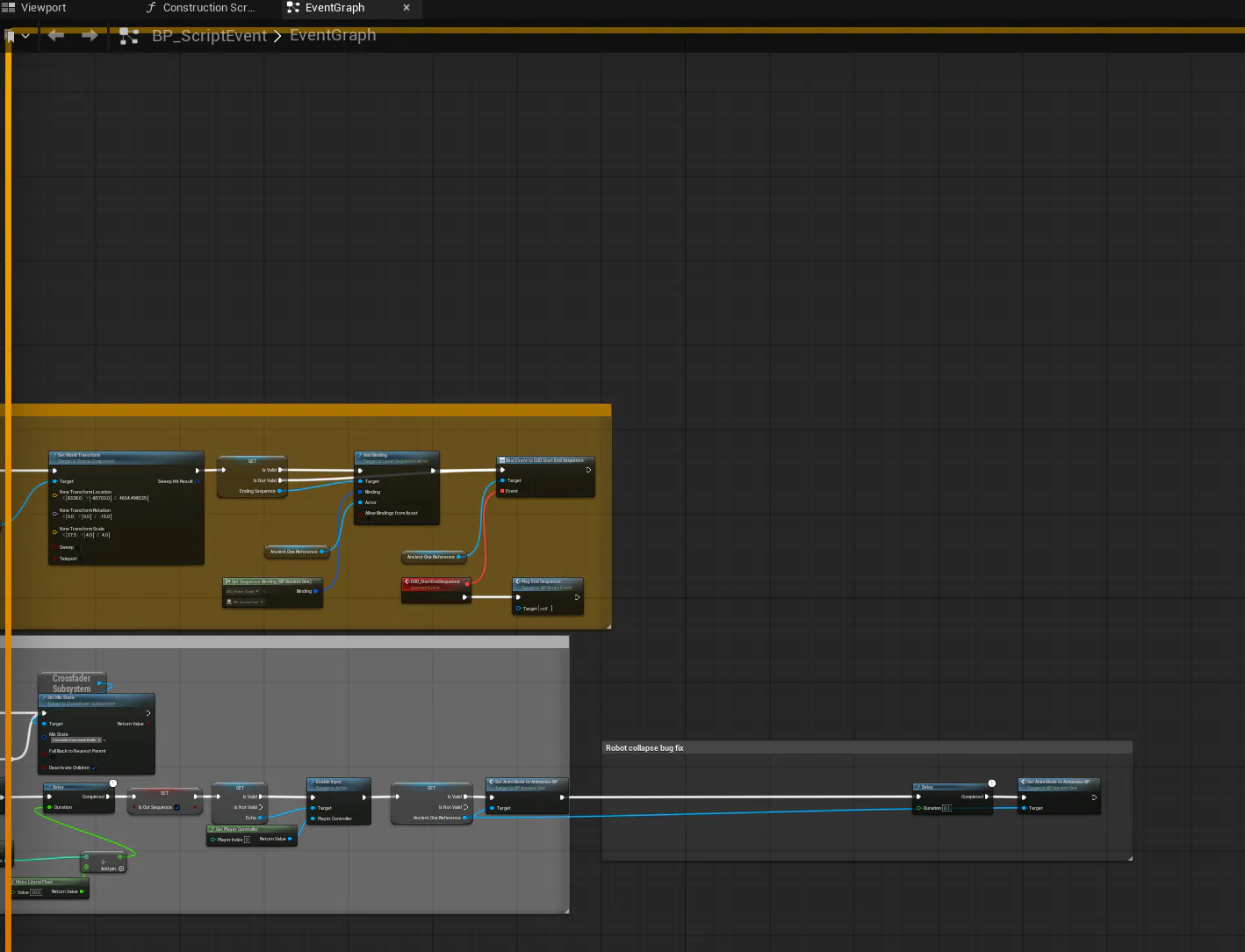
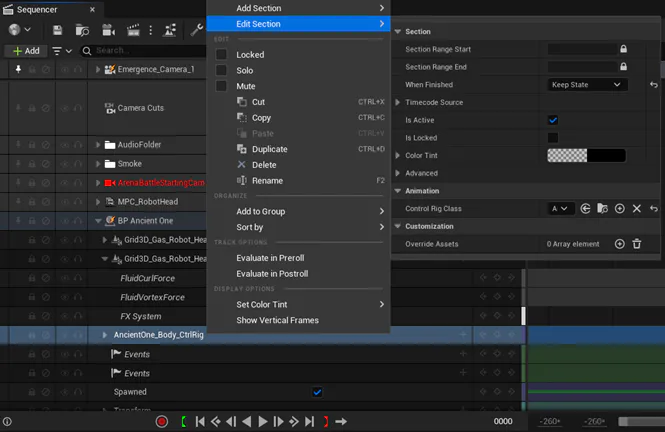
Fixing Ancient Dead State
Conclusion: The Future of Immersion
Reference Links & Documentation
For developers looking to replicate this setup, please refer to the official documentation:
Adrian Tamas, Senior Software Engineer