When RGB Meets Geometry: The Evolution of Chroma into a 3D Collision Engine
Admin Wyvrn · · Chroma
RGB lighting is no longer just eye candy. This article tells the story of how Razer Chroma evolved from simple 2D color effects into a 3D collision-based lighting engine that reacts to in-game geometry in real time.
When RGB Meets Geometry: The Evolution of Chroma into a 3D Collision Engine
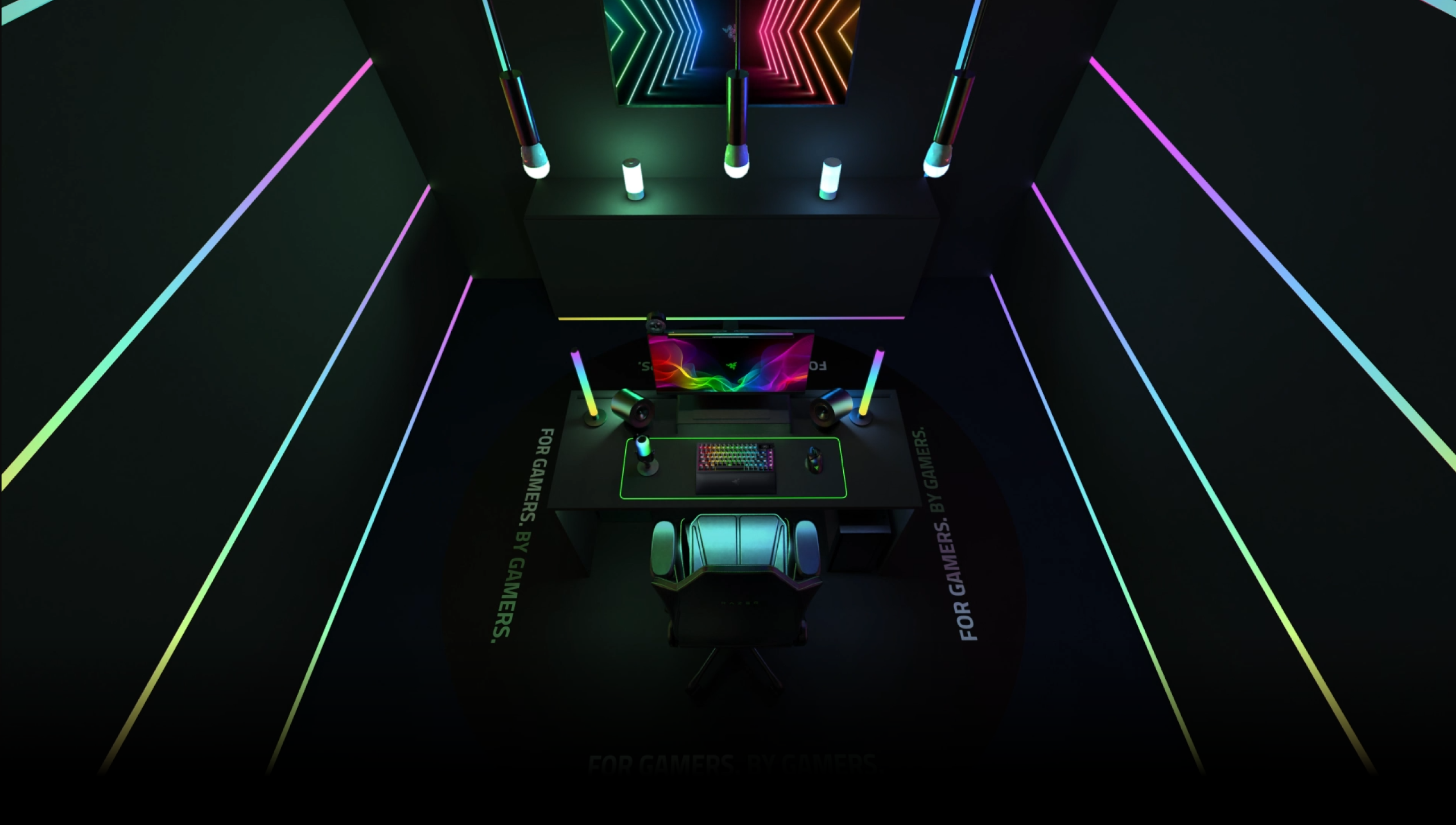
For over a decade, Razer Chroma RGB has been the beating heart of immersive lighting in gaming. What started as simple backlighting on peripherals has evolved into one of the world’s largest RGB ecosystems, spanning keyboards, mice, headsets, laptops, PC components, and even smart home integrations.
Now, Chroma is taking a bold step forward: moving from 2D lighting zones to a 3D collision-based engine that synchronizes lighting with in-game geometry. This shift transforms RGB from a decorative layer into a fully spatial medium for immersion.
From Single-Color LEDs to a Global RGB Ecosystem
Before 2014, Razer devices featured fixed, single-color lighting — iconic green on products like the Razer Diamondback and Razer DeathAdder. RGB lighting was just emerging in the gaming market, with most implementations limited to basic color zones.
That changed in September 2014, when Razer launched Razer Chroma RGB with the BlackWidow Chroma keyboard, DeathAdder Chroma mouse, and Kraken 7.1 Chroma headset, introducing individually addressable LEDs with 16.8 million colors. Through Razer Synapse, players could create custom effects, while developers soon integrated in-game lighting via the Chroma SDK.
By 2017, Chroma expanded beyond peripherals with Philips Hue integration and the Chroma Connected Devices program, opening the ecosystem to brands like MSI and Thermaltake. In the 2020s, it pushed into smart home territory, with over 200 supported devices, addressable RGB controllers, and broad third-party adoption, making it one of the largest RGB ecosystems in the world.
The Limits of 2D
The original 2D implementation of Chroma allowed developers to control each peripheral’s LEDs individually, with Chroma Connect offering up to four lighting zones for third-party hardware. This worked well for syncing effects across devices and ambient lights from partners like Govee or Nanoleaf.
But the 2D system hit a ceiling. While it could paint color patterns across multiple surfaces, it could not:
- Create spatial gradients that flow naturally in three dimensions.
- Synchronize lighting with the actual geometry of in-game events.
- Deliver nuanced, directional effects that enhance immersion.
In short, the 2D canvas was powerful for coordination, but it lacked depth.
Why Move to 3D?
The push for 3D came from both developer ambition and player immersion goals. Developers wanted lighting to feel less like an overlay and more like an extension of the game world.
We see clearly within about 120° × 120° of binocular vision, with peripheral awareness extending their total horizontal field up to ~210°, yet a typical 32-inch monitor covers only around 48° × 61°. The rest is peripheral vision, which, while not the focus of our eyes, strongly influences our sense of presence.
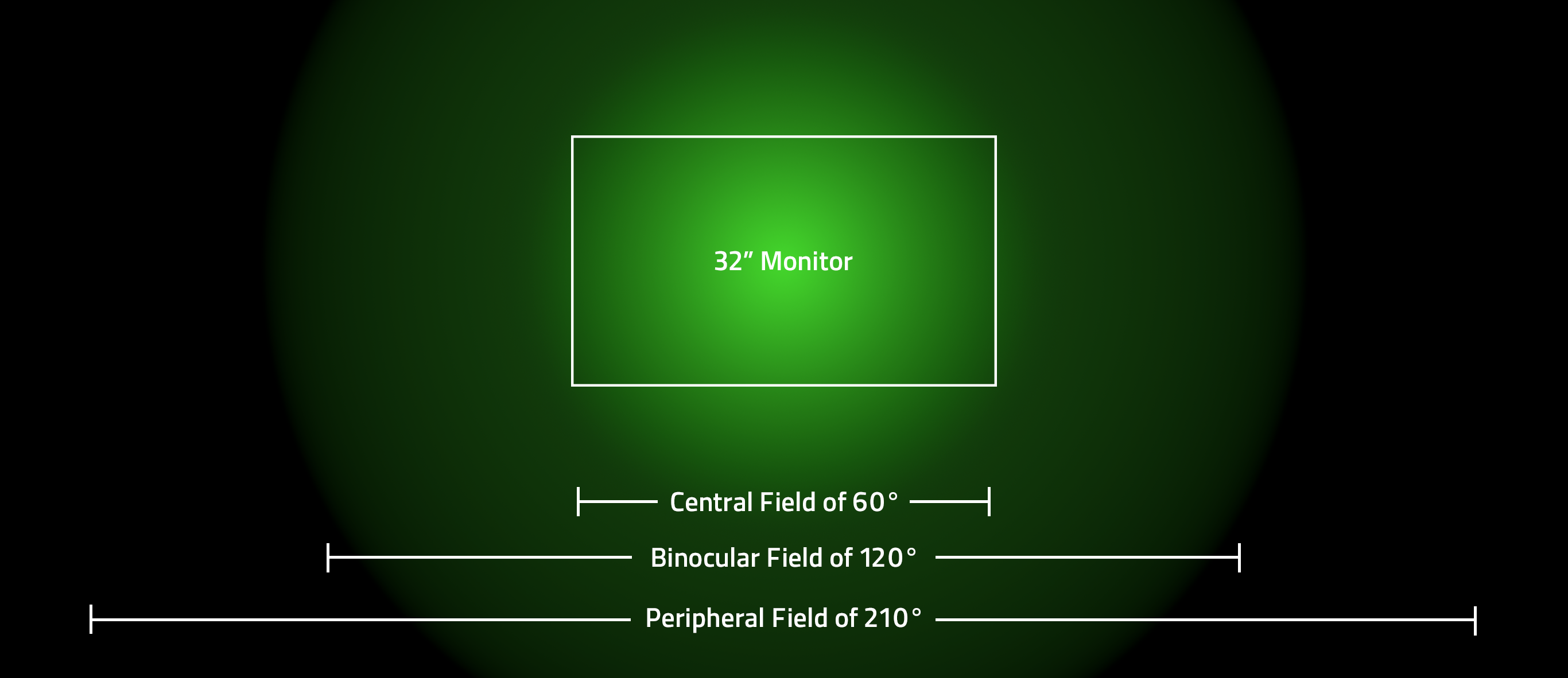
By using lighting in the periphery to mirror in-game action, Chroma could dramatically enhance immersion. Imagine explosions that ripple through the room, or gradients that match the direction of movement inside the game.
This is where the Chroma Collision Engine enters.
Inside the Chroma RGB Collision Detection Engine
At its core, the new engine maps each LED in 3D space and calculates how it interacts with in-game objects.
- In the 2D model, LEDs were transformed into local space using the inverse model matrix and sampled from a flat color map.
- In the 3D model, LEDs are tested directly against geometry. If an LED lies inside the geometry, its color is sampled from that geometry and assigned in real time.
The result: LEDs no longer simply “follow patterns” — they react as if they exist inside the game world itself.
Architecture and Data Flow
To make this possible, the engine follows a clear processing pipeline:
Bounding Volumes: Each device, space, and geometry has an Axis-Aligned Bounding Box ( AABB ) AABB checks quickly which devices are even relevant for collision tests.
Collision Testing: Supported in-game geometries include cubes, cones, cylinders, pyramids, spheres, and static meshes. Each geometry type uses its own optimized collision interface to determine whether LEDs fall within it.
Color Sampling: LEDs within a geometry take on the corresponding sampled color.
Payload Assembly: Results are collected into a payload and sent to the Razer Lighting Engine, which updates all connected devices.
This system makes the lighting geometrically aware.
This system makes the lighting geometrically aware.
Event Handling and Performance
One challenge with real-time lighting is simultaneous events. What happens if two lighting effects overlap? Currently, the system resolves this through a First-In-Last-Out (FILO) principle — the most recent event takes precedence, much like layers in Photoshop. This design keeps performance predictable and consistent.
Performance Challenges
Building a 3D collision engine for lighting is not without hurdles. The journey has involved rethinking core assumptions and pushing optimization at every stage.
Canvas Removal and Multi-Space Support: The canvas was removed, decoupling the engine from fixed spatial constraints. This allowed the system to support multiple independent spaces within one world, improving both flexibility and efficiency.
Querying Overhead: As more devices and in-game objects are added, collision checks and lighting queries grow heavier. In densely populated setups, this can become a bottleneck.
Future Optimizations: The next step is introducing spatial querying techniques such as kd-trees, quadtrees, or BVH (Bounding Volume Hierarchies). These are widely used in rendering and physics engines to minimize unnecessary checks by narrowing the search space.
For smaller setups with only a handful of devices, performance is naturally less of a concern. But scalability remains central: the system has already been stress-tested with 25+ devices and more than 500 LEDs in a CES showcase environment. The long-term vision is even more ambitious — building-wide installations where lighting responds seamlessly across expansive environments.
Developer Integration
Integration is streamlined. Developers don’t need to write collision math — they use familiar engine components like box colliders or mesh colliders.
The Chroma Editor also lets developers design and preview lighting effects in the Emulator, which visually represents how collisions and LEDs respond. This workflow keeps the barrier low while giving creators full control over immersive design.
Hardware and Setup
When it comes to hardware, the recommendation is simple: the more LEDs, the better! The richness of gradients and animations scales with the density of emitters.
The system works automatically across Razer devices without per-device tuning. The only exception is the Razer Light Strip, which requires users to specify the number of LEDs in Synapse.
Previewing the Future
The 3D Chroma Collision Engine represents a paradigm shift: RGB lighting is no longer just synchronized decoration. It is a spatial medium, responsive to in-game geometry and deeply tied to human perception of immersion.
For developers, the system opens new creative opportunities. For players, it transforms the space around the monitor into an extension of the game world. And for Razer, it marks the next chapter in the evolution of Chroma — from single-color LEDs to an ecosystem that blends light, geometry, and gameplay.